
Startech.com SV231DD2DUA KVM Switch 2-Port DVI USB
Accessories > Cable / Adapter > KVM Kits
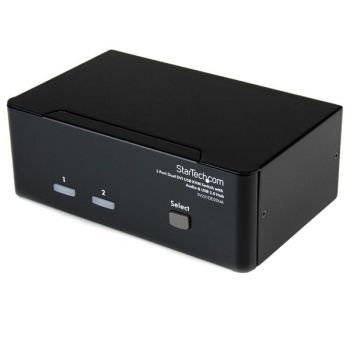
Startech.com SV231DD2DUA KVM Switch 2-Port DVI USB
| Lieske Part No. | 826625 |
|---|---|
| Mfg Part No | SV231DD2DUA |
| EAN-Code | 0065030835718 |
| Manufacturer | Startech.com |
| Here only | 136,59 EUR
162,54 EUR incl. VAT
|
Further information for Startech.com SV231DD2DUA KVM Switch 2-Port DVI USB
| Design | |
| Product colour | Black |
| Certification | RoHS |
| Logistics data | |
| Harmonized System (HS) code | 85176200 |
| Master (outer) case width | 461 mm |
| Master (outer) case length | 419 mm |
| Master (outer) case height | 337 mm |
| Products per master (outer) case | 12 pc(s) |
| Operational conditions | |
| Operating temperature (T-T) | 0 - 40 °C |
| Storage temperature (T-T) | -20 - 60 °C |
| Operating relative humidity (H-H) | 90 - 90% |
| Other features | |
| Connectivity technology | Wired |
| Power supply type | 115 AC |
| I/O ports | 6x 24 pin DVI-I F 4x USB A F 2x USB B F |
| Dimensions (WxDxH) | 160 x 100 x 57 mm |
| Ports quantity | 2 |
| Compatible operating systems | Windows 98e/SE/ME/2000/XP/Vista, Linux, Mac OS |
| Power requirements | 9 V, 1.7 A |
| Packaging data | |
| Package width | 196 mm |
| Package depth | 295 mm |
| Package height | 72 mm |
| Package weight | 1.26 kg |
| Performance | |
| Maximum resolution | 2048 x 1536 pixels |
| Number of users | 1 user(s) |
| Ports & interfaces | |
| Number of computers controlled | 2 |
| Keyboard port type | USB |
| Mouse port type | USB |
| Video port type | DVI-I |
| Headphone outputs | 4 |
| Weight & dimensions | |
| Weight | 750 g |
An ideal solution for graphic designers, CAD/CAM designers or educational and financial institutions, the dual view KVM Switch allows you to instantly switch back and forth between dual DVI display PCs at the touch of a button, while maintaining professional level video quality on both monitors. The dual DVI switch also features an integrated USB hub port that allows USB 2.0 peripherals such as thumb drives, external hard drives or web cams to be shared between attached systems - eliminating duplicate peripheral costs.
While both DVI-I (analog mode) and DVI-D (digital only) are supported by the KVM, both source PCs should output the same signal type for proper switching. It is recommended wherever possible to use DVI-D cables across all PC to KVM and KVM to Console connections.

This is an offer of:
79279 Vörstetten
https://industry-electronics.com
Tel. 07666/88499-0
Fax. 07666/88499-111
Diesen Artikel finden Sie unter:
industry-electronics.com/artikel/826625

Lieske Elektronik e.K.
Reutener Str. 1079279 Vörstetten
https://industry-electronics.com
Tel. 07666/88499-0
Fax. 07666/88499-111
Diesen Artikel finden Sie unter:
industry-electronics.com/artikel/826625