
HP W1A77-67903 Kit-ADF Top Cover Assy Rollers
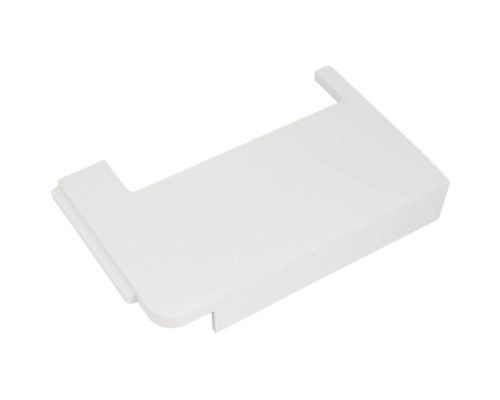
HP W1A77-67903 Kit-ADF Top Cover Assy Rollers
| Lieske Part No. | 2127509 |
|---|---|
| Mfg Part No | W1A77-67903 |
| EAN-Code | 5704174828396 |
| Manufacturer | HP |
| Here only | 60,78 EUR
72,33 EUR incl. VAT
|
Further information for HP W1A77-67903 Kit-ADF Top Cover Assy Rollers
| Features | |
| Type | Roller |
| Device compatibility | Multifunctional |
| Brand compatibility | HP |
| Packaging data | |
| Quantity per pack | 1 pc(s) |
Applications
The roller is used in the automatic document feeder (ADF) area, where it supports paper or document feeding. It is part of the mechanical components ensuring correct and reliable document processing in multifunction devices. Wear or malfunction can lead to paper jams, inaccurate alignment, or incorrect feeding. Therefore, maintenance or replacement of this part is an important aspect of device maintenance, especially in environments with high printing and scanning volumes.
Functions and Features in Detail
The roller is a mechanical component made from an elastic material to ensure optimal friction between the document and the feeding mechanism. It ensures that documents are moved evenly and without slipping through the ADF transport path. Compatibility is limited to multifunction devices manufactured by HP. The part is used during maintenance or repair procedures and is directly installed into the corresponding position in the device.
Technology Explained Simply
A roller in the ADF system mechanically guides documents by rotating to move the paper forward. The friction between the roller material and the paper ensures the document does not slip and is transported evenly. Wear or contamination can reduce friction, leading to malfunctions. Replacing the roller restores the original function. Precise positioning in the device is achieved through predefined holders or guide rails integrated into the device.
Compatibility and Accessories
The part is specifically designed for HP multifunction devices, particularly models from the LaserJet Managed, Pro, and Enterprise series. It is not a universal replacement part but is designed for the specified device families.
Installation and Mounting
Installation is carried out during maintenance or repair of the device. The process typically involves opening the device, removing the defective roller, and inserting the new one. The exact procedure depends on the specific device construction. No special tools or additional mounting aids are specified.
Operational Advantages
A functional roller ensures reliable and uninterrupted document processing in the ADF. This reduces the likelihood of paper jams, misalignment, or incorrect feeding. Maintenance with a new roller extends the device’s lifespan and ensures consistent performance, especially in environments with high printing and scanning volumes. Using an original HP replacement part guarantees compatibility and adherence to the manufacturer’s maintenance guidelines.

This is an offer of:
79279 Vörstetten
https://industry-electronics.com
Tel. 07666/88499-0
Fax. 07666/88499-111
Diesen Artikel finden Sie unter:
industry-electronics.com/artikel/2127509

Lieske Elektronik e.K.
Reutener Str. 1079279 Vörstetten
https://industry-electronics.com
Tel. 07666/88499-0
Fax. 07666/88499-111
Diesen Artikel finden Sie unter:
industry-electronics.com/artikel/2127509