
HP CN459-67006 Cleaning Kit
Printers/Scanners > Parts
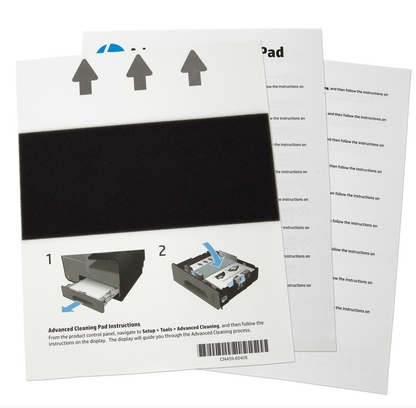
HP CN459-67006 Cleaning Kit
| Lieske Part No. | 194425 |
|---|---|
| Mfg Part No | CN459-67006 |
| EAN-Code | 5712505244708 |
| Manufacturer | HP |
| Here only | 49,65 EUR
59,08 EUR incl. VAT
|
Further information for HP CN459-67006 Cleaning Kit
| Features | |
| Product type | Printer cleaning sheet |
| Brand compatibility | HP |
| Compatibility | OfficeJet Pro X451dn, OfficeJet Pro X451dw, OfficeJet Pro X476dn MFP, OfficeJet Pro X476dw MFP, OfficeJet Pro X551dw, OfficeJet Pro X576dw MFP |
Applications
This cleaning sheet is specifically designed for the models OfficeJet Pro X451dn, OfficeJet Pro X451dw, OfficeJet Pro X476dn MFP, OfficeJet Pro X476dw MFP, OfficeJet Pro X551dw, and OfficeJet Pro X576dw MFP. These devices belong to the category of multifunction printers (MFP) and are used in office environments as well as in small to medium-sized enterprises. Cleaning is particularly important when print quality deteriorates, streaks appear in prints, or the device experiences paper handling issues. Regular use of the cleaning sheet contributes to extending the lifespan of print heads and reducing malfunctions.
Features and Equipment in Detail
The printer cleaning sheet is a single sheet and is processed in the printer like normal paper. It is not designed as part of a complex cleaning system, but as a simple yet effective solution for maintenance. The special surface coating of the sheet ensures that during the pass through the printer, relevant components are cleaned gently but thoroughly. Use requires no additional tools or chemicals — the sheet is simply placed in the paper tray and the cleaning cycle is initiated via the printer’s control panel.
Technology Explained Simply
The technology of the cleaning sheet is based on a special, absorbent, and slightly abrasive coating that contacts the surfaces of the print heads and paper feed mechanism during the printing process. This removes loose particles, toner residue, and paper fibers that accumulate over time. Cleaning is performed without additional liquids, minimizing the risk of flooding or damage to electronic components. Use is simple and requires no special preparation — the sheet is treated like a normal print sheet.
Compatibility and Accessories
The cleaning sheet is exclusively intended for the specified HP OfficeJet Pro models: OfficeJet Pro X451dn, OfficeJet Pro X451dw, OfficeJet Pro X476dn MFP, OfficeJet Pro X476dw MFP, OfficeJet Pro X551dw, and OfficeJet Pro X576dw MFP. It is not a universal cleaning product, but specifically adapted to the internal mechanisms of these printer models.
Installation and Mounting
Installation is done by simply inserting the cleaning sheet into the printer’s paper tray. Then, the cleaning mode is activated via the device’s control panel. The printer automatically performs the cleaning cycle, pulling the sheet through the print unit. The entire procedure is tool-free and requires no technical expertise. After completion, the sheet is removed and disposed of.
Operational Advantages
Regular use of the printer cleaning sheet helps stabilize print quality over time and reduces the number of malfunctions. It prevents the occurrence of streaks, color distortions, or paper jams that can be caused by accumulated particles. Maintenance is performed without interrupting normal operation, as the sheet is processed like a normal print sheet. Use is cost-effective, as it requires no additional chemicals or tools and extends the lifespan of print heads.

This is an offer of:
79279 Vörstetten
https://industry-electronics.com
Tel. 07666/88499-0
Fax. 07666/88499-111
Diesen Artikel finden Sie unter:
industry-electronics.com/artikel/194425

Lieske Elektronik e.K.
Reutener Str. 1079279 Vörstetten
https://industry-electronics.com
Tel. 07666/88499-0
Fax. 07666/88499-111
Diesen Artikel finden Sie unter:
industry-electronics.com/artikel/194425