
HP 4Z527AA CABL Adapter USB-C to RJ45
Computer Hardware > Notebook Accessories > Dockingstation
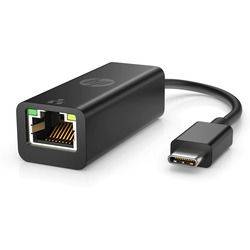
HP 4Z527AA CABL Adapter USB-C to RJ45
| Lieske Part No. | 1974836 |
|---|---|
| Mfg Part No | 4Z527AA |
| EAN-Code | 0196188549902 |
| Manufacturer | HP |
| Here only | 17,68 EUR
21,04 EUR incl. VAT
|
Further information for HP 4Z527AA CABL Adapter USB-C to RJ45
| Design | |
| Product colour | Black |
| Country of origin | China, Vietnam |
| Compatible products | Compatible with PCs with available USB-C port. |
| HP segment | Home |
| Internal | |
| Logistics data | |
| UNSPSC-code | 26121630 |
| Pallet gross weight | 128.6 kg |
| Master (outer) cases per pallet | 6 pc(s) |
| Other features | |
| Cable length | 0.1 m |
| Packaging data | |
| Quantity per pack | 1 pc(s) |
| Package width | 200 mm |
| Package weight | 39 g |
| Ports & interfaces | |
| Connectivity technology | Wired |
| Host interface | USB Type-C |
| Interface | Ethernet |
| Ethernet LAN (RJ-45) ports | 1 |
| System requirements | |
| Windows operating systems supported | Windows 10, Windows 11 |
| Technical details | |
| Pallet weight (imperial) | 128.6 kg (283.5 lbs) |
| Master (outer) cases per pallet layer | 48 pc(s) |
| Total carbon footprint (kg of CO2e) | 2.5 |
| General Product Safety Regulation (GPSR) URL | https://support.hp.com/us-en/document/ish_6126692-6126777-16?openCLC=true |
| Weight & dimensions | |
| Width | 180 mm |
| Depth | 20.6 mm |
| Height | 16.5 mm |
| Weight | 20 g |
Applications
The adapter is particularly suitable for users requiring a reliable and fast network connection, such as in home offices, small offices, or mobile workstations. It enables video streaming, downloading large files, and using network services without the limitations of a WLAN connection. Support for Giga-Ethernet data rates (10/100/1000Base-T) ensures high transmission speeds sufficient for demanding applications. The Plug-and-Play functionality requires no additional software installation, making setup quick and easy.
Functions and Equipment in Detail
The adapter features a USB Type-C interface as the host connection, which is directly plugged into the USB-C port of a device. On the other side, there is an RJ-45 connector, which is connected to a standard network cable. The transmission technology is wired, ensuring a stable and interference-free connection. The cable length is 0.1 m, sufficient for direct connection between the device and the network outlet. The adapter is black in colour, making it visually unobtrusive and compatible with most devices.
Technology Explained Simply
The adapter acts as a bridge between a USB-C port and an Ethernet network. It converts the USB signal into an Ethernet signal, allowing the device to communicate over the local network. Support for 10/100/1000Base-T means it can transmit data rates up to 1 Gbit/s, which meets today’s standard network requirements. The Plug-and-Play function means no additional driver installation is required; once connected, the operating system automatically recognises the adapter.
Compatibility and Accessories
The adapter is compatible with all devices featuring a USB-C port, including laptops, tablets, and other PCs. Support for Windows 10 and Windows 11 ensures usability in common operating system environments.
Installation and Mounting
Installation is done by simply plugging the adapter into the USB-C port of the device and then connecting the RJ-45 connector to a network cable linked to a router, switch, or network socket. The Plug-and-Play functionality ensures no additional steps such as driver installation or configuration are required. The connection is automatically established once the device is powered on.
Operational Advantages
The adapter provides a reliable, wired network connection independent of WLAN interference or signal loss. The high data rate of up to 1 Gbit/s enables fast streaming, secure network work, and efficient downloading. Its compact design and low weight make it ideal for mobile use. The Plug-and-Play function reduces setup time and minimises technical complexity for the user.

This is an offer of:
79279 Vörstetten
https://industry-electronics.com
Tel. 07666/88499-0
Fax. 07666/88499-111
Diesen Artikel finden Sie unter:
industry-electronics.com/artikel/1974836

Lieske Elektronik e.K.
Reutener Str. 1079279 Vörstetten
https://industry-electronics.com
Tel. 07666/88499-0
Fax. 07666/88499-111
Diesen Artikel finden Sie unter:
industry-electronics.com/artikel/1974836