
Fujitsu S26391-F655-L300 Port Replicator 4xUSB
Computer Hardware > Notebook Accessories > Dockingstation
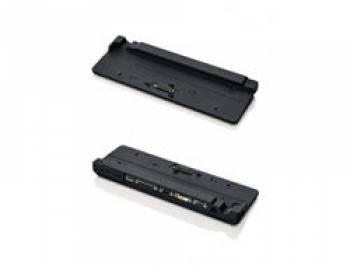
Fujitsu S26391-F655-L300 Port Replicator 4xUSB
| Lieske Part No. | 727209 |
|---|---|
| Mfg Part No | S26391-F655-L300 |
| EAN-Code | |
| Manufacturer | Fujitsu |
| Here only | 96,90 EUR
115,31 EUR incl. VAT
|
Further information for Fujitsu S26391-F655-L300 Port Replicator 4xUSB
| Network | |
| Ethernet LAN (RJ-45) ports | 1 |
| Ethernet LAN | |
| Other features | |
| Dimensions (WxDxH) | 370 x 114 x 38 mm |
| Docking connector | 1 |
| USB ports quantity | 4 |
| DVI port | |
| Packaging content | |
| Cables included | AC |
| AC adapter included | |
| Quick start guide | |
| Manual | |
| Performance | |
| Cable lock slot type | Kensington |
| Product colour | Black |
| Brand compatibility | Fujitsu |
| Card reader integrated | |
| Cable lock slot | |
| LED indicators | |
| Ports & interfaces | |
| Connectivity technology | Docking |
| USB 2.0 ports quantity | 4 |
| VGA (D-Sub) ports quantity | 1 |
| Headphone outputs | 1 |
| Parallel ports quantity | 1 |
| Serial ports quantity | 1 |
| eSATA ports quantity | 1 |
| Microphone in | |
| Line-out | |
| DC-in jack | |
| Weight & dimensions | |
| Width | 370 mm |
| Depth | 114 mm |
| Height | 38 mm |
| Weight | 500 g |
Applications
The docking station is designed for stationary work environments where a notebook is frequently used at a fixed location. It is particularly suitable for users who regularly switch between mobile use and a stationary workstation. Connection is made via the specific docking connector, ensuring a secure and stable link to the notebook.
Functions and Features in Detail
The S26391-F655-L300 features a variety of ports to enable integration of various devices. These include four USB 2.0 ports, which can be used to connect keyboards, mice, storage devices, or other USB-compatible devices. A VGA port (D-Sub) and a DVI port allow connection to external monitors or projectors. Additionally, an RJ-45 Ethernet LAN port is integrated, enabling a wired network connection. For audio applications, a headphone output and a line-out port are available. A serial port and a parallel port extend compatibility with older or specialized devices. A DC power input is also present to supply power to the notebook via the external power adapter.
Technology Explained Simply
The docking station operates as a port replicator, meaning it replicates the interfaces of the notebook and makes them accessible externally. The connection technology is based on docking, where the docking connector establishes the electrical connection to the notebook. Integrated LED indicators signal the operational status, such as power supply or connection to the notebook. Power supply is provided via an external power adapter connected through the DC input. The docking station is equipped with a Kensington slot to ensure physical security of the device.
Compatibility and Accessories
The docking station is specifically developed for Fujitsu LIFEBOOK models S761 and S762. Connection is made via the specific docking connector, ensuring a secure and stable connection. The docking station is not designed for other notebook models or brands. The ports are standardized and allow use with common peripheral devices.
Installation and Mounting
Installation is performed by simply docking the notebook onto the docking station. The connection is established via the docking connector, requiring precise alignment of the notebook with the docking station. Power supply is provided via the external power adapter connected to the DC input. LED indicators signal the operational status. The docking station is compact and flat, with dimensions of 370 mm (width) × 114 mm (depth) × 38 mm (height), making it suitable for desktop use.
Operational Advantages
The docking station reduces the number of required cable connections and enables quick and easy workstation setup. The integrated ports allow simultaneous use of multiple devices, increasing productivity. Physical security is enhanced by the Kensington slot. LED indicators provide visual feedback on operational status. The compact design and black lacquered surface fit into most work environments.
Scope of Delivery
The docking station is delivered with an AC power adapter, a quick start guide, and an operating manual. The AC power adapter is intended for powering the notebook via the docking station. The operating manual contains information on installation and use.
Product Type, Core Function, Technology, Standards
The product type is a docking station functioning as a port replicator. The core function is to extend the connection options of a notebook via a docking connector. The technology is based on docking transmission, where the notebook’s interfaces are replicated. Standards refer to connection specifications such as USB 2.0, VGA, DVI, RJ-45, and serial/parallel interfaces. The color is black, and physical security is ensured by the Kensington slot.

This is an offer of:
79279 Vörstetten
https://industry-electronics.com
Tel. 07666/88499-0
Fax. 07666/88499-111
Diesen Artikel finden Sie unter:
industry-electronics.com/artikel/727209

Lieske Elektronik e.K.
Reutener Str. 1079279 Vörstetten
https://industry-electronics.com
Tel. 07666/88499-0
Fax. 07666/88499-111
Diesen Artikel finden Sie unter:
industry-electronics.com/artikel/727209