
DIGITUS DN-13003-2 Print Server USB2.0 1-Port
Networks > Printservers
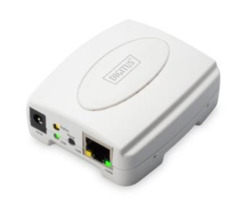
DIGITUS DN-13003-2 Print Server USB2.0 1-Port
| Lieske Part No. | 1453623 |
|---|---|
| Mfg Part No | DN-13003-2 |
| EAN-Code | 4016032446286 |
| Manufacturer | DIGITUS |
| Here only | 71,16 EUR
84,68 EUR incl. VAT
|
Further information for DIGITUS DN-13003-2 Print Server USB2.0 1-Port
| General | |
| Manufacturer | DIGITUS |
| USB port | 1x USB 2.0 |
| Network connection | 1x RJ45 |
| Ethernet standard | IEEE 802.3, IEEE 802.3u |
| Supported network protocols | TCP/IP, IPX/SPX, NetBEUI, AppleTalk |
| Supported print protocols | LPR, IPP, SMB/TCP, Raw Printing, Unix Logical |
| Print modes | Peer-to-Peer, server-based printing |
| Supported operating systems | Windows 10, 8, 7, Vista, XP, Mac, Linux |
| DHCP support | Server and Client |
| Management options | Web-based management, Windows configuration utility, SNMP |
| Colour | White |
| Scope of delivery | USB 2.0 Ethernet print server, power supply |
Applications
The print server enables network integration of USB printers, allowing multiple computers to access the same printer over the network. It is suitable for environments where no dedicated print server management is available, but shared use of print resources is required. Support for peer-to-peer printing as well as server-based printing (e.g. under Novell NetWare and Windows) expands its application possibilities in heterogeneous networks.
Functions and Equipment in Detail
The device features a USB 2.0 port to connect a printer. The network connection is made via an RJ45 port, supporting IEEE 802.3 and IEEE 802.3u (Fast Ethernet) standards. Supported network protocols include TCP/IP, IPX/SPX, NetBEUI, and AppleTalk, as well as print protocols such as LPR, IPP, SMB/TCP, Raw Printing, and Unix Logical. Configuration is performed via a web-based management interface, a Windows configuration utility, and the SNMP protocol. Installation is facilitated by included setup and diagnostic programs.
Technology Explained Simply
The print server acts as a bridge between a USB printer and an Ethernet network. It converts USB signals into network packets, making the printer accessible over the network. Support for DHCP server and client protocols enables automatic IP address assignment, simplifying setup. The use of standard network protocols ensures compatibility with various operating systems, including Windows 10, 8, 7, Vista, and XP, as well as Mac and Linux.
Compatibility and Accessories
The print server is compatible with common operating systems and supports both peer-to-peer and server-based printing environments. The network and print protocols are selected to ensure broad applicability in various network environments. No special accessories are required, as all necessary functions are integrated into the device.
Installation and Mounting
Installation involves connecting the printer to the USB port of the print server and connecting the print server to the network via the RJ45 port. Configuration can be performed via the web-based management interface or the Windows configuration utility. The included setup and diagnostic programs support the setup process.
Advantages in Operation
The print server enables simple and cost-efficient network integration of USB printers. Support for many protocols and operating systems increases flexibility. The web-based configuration and SNMP protocol simplify network management. The device is delivered with a power supply, enabling immediate operation after unpacking.
Colour
The device is finished in white, making it visually compatible with typical office environments.
Scope of Delivery
The scope of delivery includes the USB 2.0 Ethernet print server and a power supply.

This is an offer of:
79279 Vörstetten
https://industry-electronics.com
Tel. 07666/88499-0
Fax. 07666/88499-111
Diesen Artikel finden Sie unter:
industry-electronics.com/artikel/1453623

Lieske Elektronik e.K.
Reutener Str. 1079279 Vörstetten
https://industry-electronics.com
Tel. 07666/88499-0
Fax. 07666/88499-111
Diesen Artikel finden Sie unter:
industry-electronics.com/artikel/1453623