
DELL DELL-PN7522W Stylus 3-Buttons
Computer Hardware > Notebook Accessories > Display Protection
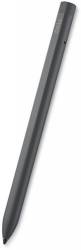
DELL DELL-PN7522W Stylus 3-Buttons
| Lieske Part No. | 1115216 |
|---|---|
| Mfg Part No | DELL-PN7522W |
| EAN-Code | 5397184635414 |
| Manufacturer | DELL |
| Here only | 80,03 EUR
95,24 EUR incl. VAT
|
Further information for DELL DELL-PN7522W Stylus 3-Buttons
| Battery | |
| Battery life | 960 h |
| Battery capacity | 45 mAh |
| Features | |
| Device compatibility | Laptop |
| Brand compatibility | Dell |
| Compatibility | Latitude 9520 2-in-1, Latitude 9510 2-in-1, Latitude 9430 2in1, Latitude 9420 2-in-1, Latitude 9410 2-in-1, Latitude 7430 2in1, Latitude 7420 2-in-1, Latitude 7410 2-in-1, Latitude 7410 2-in-1 Chrome Enterprise*, Latitude 7330 2in1, Latitude 7320 Detachable, Latitude 7320 2-in-1, Latitude 7310 2-in-1, Latitude 7210 2-in-1, Latitude 5330 2in, Latitude 5320 2-in-1, Latitude 5310 2-in-1, Latitude 5300 2-in-1 Chrome, Latitude 3330 2in1, XPS 9310 2-in-1, Inspiron 7620 2in1, Inspiron 7420 2in1, Inspir |
| Product colour | Black |
| Bluetooth version | 5.1 |
| Buttons quantity | 3 |
| Bluetooth | |
| Logistics data | |
| Harmonized System (HS) code | 84733080 |
| Packaging data | |
| Quantity per pack | 1 pc(s) |
| Weight & dimensions | |
| Weight | 15.5 g |
| Width | 10.2 mm |
| Depth | 10.2 mm |
| Height | 155 mm |
Applications
The stylus is designed for a variety of Dell notebooks, including models from the Latitude and XPS series, as well as Inspiron models with 2-in-1 functionality. Compatible devices include, among others, the Latitude 9520 2-in-1, Latitude 9510 2-in-1, Latitude 9430 2in1, Latitude 9420 2-in-1, Latitude 9410 2-in-1, Latitude 7430 2in1, Latitude 7420 2-in-1, Latitude 7410 2-in-1, Latitude 7330 2in1, Latitude 7320 Detachable, Latitude 7320 2-in-1, Latitude 7310 2-in-1, Latitude 7210 2-in-1, Latitude 5330 2in, Latitude 5320 2-in-1, Latitude 5310 2-in-1, Latitude 5300 2-in-1 Chrome, Latitude 3330 2in1, XPS 9310 2-in-1, Inspiron 7620 2in1, and Inspiron 7420 2in1. Usage is limited to devices that support touch functionality and can communicate with the stylus via Bluetooth.
Features and Equipment in Detail
The stylus features three buttons: a tip for mouse pointer control, a lower pressure button for erasing (when moved across the screen), and an upper pressure button that opens a context menu or simulates a right-click by default. The functions of the buttons can be customized via the Dell Peripheral Manager software. The tip enables precise writing and drawing on touchscreens. The device is rechargeable via a USB-C charging port, and the delivery includes a USB-C to USB-C cable, two replacement tips, a tip remover, and documentation.
Technology Explained Simply
The Bluetooth connection (5.1) ensures a stable and energy-efficient link to the host device. The battery life of 960 hours corresponds to approximately 40 days of use under normal conditions, though actual runtime depends on usage patterns. The battery capacity of 45 mAh is designed for a compact device and enables long usage without frequent recharging. The USB-C interface is universally compatible and allows for fast charging.
Compatibility and Accessories
The stylus is exclusively designed for Dell notebooks with touch functionality. Compatibility includes specific models from the Latitude, XPS, and Inspiron series, as listed in the technical data sheet. The replacement tips and tip remover included in the delivery enable maintenance and replacement of the tip to maintain precision and extend the stylus’s lifespan.
Installation and Mounting
Setup is performed via manual Bluetooth pairing, with the stylus connected to a charger via the USB-C port. The connection to the device is established through the notebook’s Bluetooth settings. The documentation included in the delivery contains instructions for setup and use.
Operational Advantages
The stylus provides precise input on touchscreens, enhanced by the three buttons for extended functions. The long battery life and rechargeable design reduce the need for replacements. The Bluetooth connection enables wireless use without restricting movement freedom.

This is an offer of:
79279 Vörstetten
https://industry-electronics.com
Tel. 07666/88499-0
Fax. 07666/88499-111
Diesen Artikel finden Sie unter:
industry-electronics.com/artikel/1115216

Lieske Elektronik e.K.
Reutener Str. 1079279 Vörstetten
https://industry-electronics.com
Tel. 07666/88499-0
Fax. 07666/88499-111
Diesen Artikel finden Sie unter:
industry-electronics.com/artikel/1115216