
BlackBox KV3004A VGA Adapter 4-Port
Accessories > Cable / Adapter > VGA
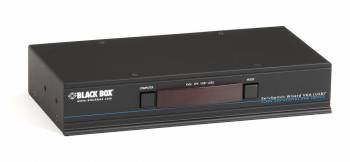
BlackBox KV3004A VGA Adapter 4-Port
| Lieske Part No. | 829373 |
|---|---|
| Mfg Part No | KV3004A |
| EAN-Code | |
| Manufacturer | BlackBox |
| Here only | 462,72 EUR
550,64 EUR incl. VAT
|
Further information for BlackBox KV3004A VGA Adapter 4-Port
| General | |
| Number of computer channels | 4 |
| Video output | VGA |
| Video transmission rate | 450 Megapixels per second |
| Supported resolutions | 2048 x 1080, 2560 x 1600 (WQXGA) |
| KVM workstation connections | 1 VGA, 2 USB Type A (emulated), 1 3.5 mm audio |
| Switched USB ports | 2 USB Type A (USB 2.0, not emulated) |
| Computer channel connections | 1 VGA, 1 USB Type B, 1 3.5-mm audio |
| Audio control | Independent of video and USB |
| Optional connection | RJ-45 10P10C (RS-232) for flash upgrade |
| Autoscan | |
Applications
This KVM switch is suitable for environments where multiple computers must be managed from a central workstation. It is especially useful in IT administration centers, where rapid switching between servers is required, as well as in medical facilities relying on high image resolutions for diagnostic equipment. It is also used in production environments such as post-production or research laboratories, where high image quality and simultaneous access to various USB devices are necessary.
Functions and Features in Detail
The ServSwitch Wizard VGA, USB enables control of four computers from a single KVM workstation. Channel selection is performed via hotkeys, a three-button mouse, or the control elements on the front of the device. With the autoscan function enabled, the switch automatically cycles through connected computers in a predefined sequence. A seven-segment numeric display indicates the currently selected channel. USB support includes high-speed USB 2.0 devices, allowing connection of printers, scanners, and non-standard HID devices. The USB ports at the KVM workstation are emulated, while the separate, switched USB ports are non-emulated, ensuring direct connection to USB peripherals.
Technology Explained Simply
The video output supports VGA images with a maximum transmission rate of 450 megapixels per second. This enables display of high resolutions, such as 2048 x 1080 for post-production tasks or 2560 x 1600 (WQXGA) for detailed medical or research applications. Each of the four computer connections includes a VGA connector, a USB Type B connector for keyboard and mouse, and a 3.5 mm audio input. At the KVM workstation, there are two USB Type A connectors (emulated) and a 3.5 mm audio output. Two additional USB Type A connectors (non-emulated) allow connection of further USB devices, which can be switched independently of video and keyboard switching between computers.
Compatibility and Accessories
The device is designed for connection to computers equipped with VGA outputs, USB Type B connectors, and 3.5 mm audio connectors. It is part of a product family that also includes models with multiple VGA connectors per channel (KV3204A, KV3304A, KV3404A) and DVI support (KV2X04A series). The separate USB ports enable flexible assignment of peripheral devices to different computers, with audio and USB connections switchable independently.
Installation and Mounting
Installation involves connecting the four computers to the corresponding VGA, USB Type B, and audio connectors on the switch. The KVM workstation is connected to the switch via VGA, USB Type A, and audio connectors. The selection of the desired computer is made using the designated control elements. No additional tools or software are required. Configuration is performed using physical controls and hotkeys.
Operational Advantages
The ServSwitch Wizard VGA, USB offers high flexibility when using multiple computers from a single workstation. The ability to switch USB peripherals independently of video and keyboard switching enables efficient workflow. Support for high resolutions and clear indication of the selected channel via the numeric display enhance user-friendliness. The combination of KVM functionality and USB peripheral control makes this device a powerful solution for professional users.

This is an offer of:
79279 Vörstetten
https://industry-electronics.com
Tel. 07666/88499-0
Fax. 07666/88499-111
Diesen Artikel finden Sie unter:
industry-electronics.com/artikel/829373

Lieske Elektronik e.K.
Reutener Str. 1079279 Vörstetten
https://industry-electronics.com
Tel. 07666/88499-0
Fax. 07666/88499-111
Diesen Artikel finden Sie unter:
industry-electronics.com/artikel/829373